
Windows
Windows installer · No Python required
0 downloads
Download Windows installer Download portable version
LOCAL COMIC AND MANGA READER
CBZ, CBR, PDF and more on Windows, Linux and Android. Local reading works without an account.
01 / CHOOSE YOUR EDITION
Choose an official package for Windows, Linux or Android. Older releases remain available in the version selector.
Windows installer · No Python required
0 downloads
Download Windows installer Download portable versionPortable .tar.gz or Flatpak · x86_64
0 downloads
Download .tar.gz Download Flatpak See installation detailsAndroid 8+ · Universal APK
0 downloads
Download APK 0.2.3 See installation details02 / INSIDE KOMICOVE
Library, reader and folder views from the current app.
A 25-second recording of the library, watched folders and reader in the desktop app.
A 13-second recording of folders, the library and guided reading on Android.
Desktop interface screenshots
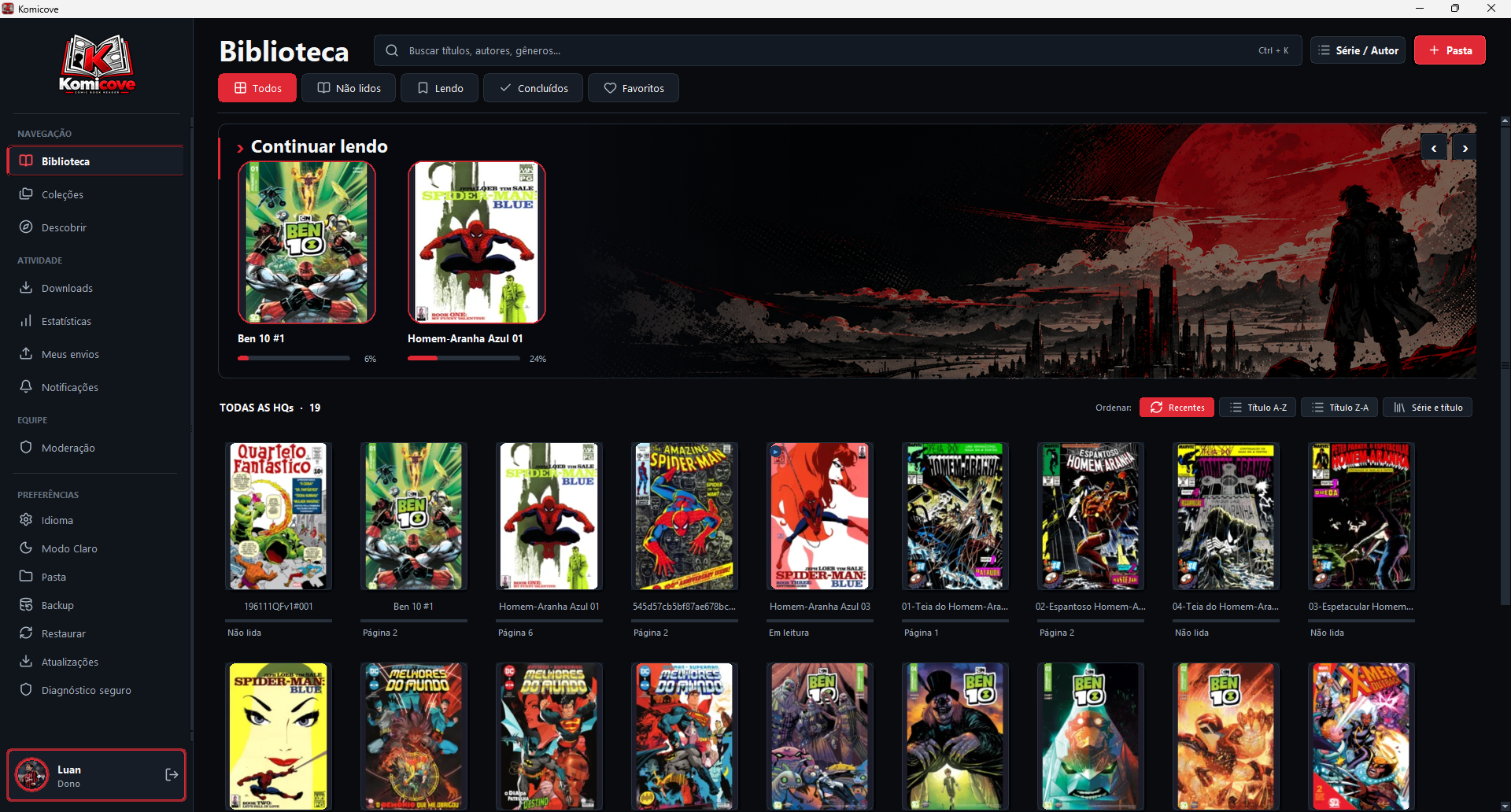
Real screenshots of the current Komicove interface on desktop and Android.
03 / LIBRARY AND READER
Search your library, group titles into collections and resume each comic from its saved progress.
LIBRARY TOOLS
Search by title, mark favorites and use saved progress to resume a comic.
Create named collections without changing the location of the original files.
Use zoom, thumbnails and bookmarks while reading.
Choose single page, double page, manga direction or vertical reading.
Choose a light or dark interface and adjust available reader preferences.
Export and restore your reading data with built-in backups.
05 / SUPPORTED FORMATS
On desktop, some formats use your system’s 7-Zip. Android has built-in support. Password-protected files are not supported.
Native support.
READY TO READComics with one image per page, with experimental support.
EXPERIMENTALSupport included in the reader package.
INCLUDEDOn Windows and portable Linux, these require a compatible tool such as 7-Zip.
EXTERNAL TOOLOn desktop, these may need a separate 7-Zip installation.
7-ZIP REQUIRED04 / OPTIONAL ONLINE FEATURES
Browse authorized publications, submit your own work for review and follow its download count.
View source code ↗Explore the catalog and submit your own or authorized works for review.
View your submissions and track downloads in one place.
Manage your account and keep up with notifications.
KOMICOVE 0.2.3 · WINDOWS · LINUX · ANDROID
Version 0.2.3 introduces experimental comic translation and major improvements to the library, reader, updates and performance.
Read all changes ↗Use local AI or your configured API, review the result and export a translated CBZ copy.
Progressive covers, better caching and background work keep the interface responsive.
Webtoon, vertical reading, zoom, rotation and guided reading received fixes and improvements.
OPTIONAL PROJECT SUPPORT
Komicove is free and open source. Optional contributions help cover the domain, online services, testing and development time.
Known annual cost: komicove.online domain, R$ 7.08/year.
FAQ
Not when using the Windows installer, Linux packages, or Android APK.
Not for local reading. You can use guest mode to open and organize your own files.
Reading local files works without a server. Community and synchronization need internet access and use the Komicove server, already configured in the app.
On Windows and portable Linux, some formats require a compatible tool such as 7-Zip. Android does not need a separate 7-Zip installation. Linux Flatpak may have limitations with these formats.
Use GitHub Issues. Include your version, steps to reproduce the issue, and a screenshot if possible. Never share passwords or tokens.
KOMICOVE 0.2.3 · WINDOWS · LINUX · ANDROID

